universitaire canadien
Formatting Your Documents
As mentioned in the Limitations section, support for formatted text is minimal. On one hand, this frugality contributes to the relative simplicity of the software, the speed of command execution, and the absence of storage quotas (if you hadn't noticed). On the other hand, it can make browsing documents tedious.
This section provides some tips on how to format your documents.
Your Files Are Cleaned
If you're wondering how your files are cleaned, consult the documentation for the two tools on which LibreQDA is based:
- Bleach cybersecures the files you upload
- Calibre allows multiple formats to be accepted and converts them to plain text
Our cleaning process may cause tables, italics, hyperlinks, custom fonts, custom margins, or other formatting elements supported by other software to disappear.
This can result in a corpus that is difficult to browse and code.
For example, this excerpt from Hydro-Québec's 2023 annual report contains images and sometimes includes two columns of text:
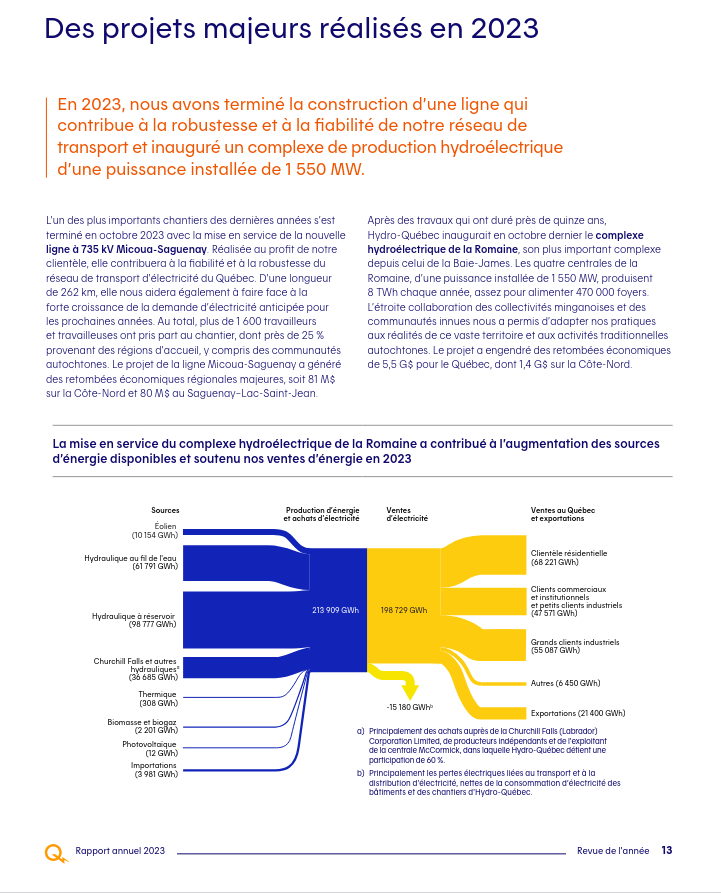
Once loaded into LibreQDA, this document is nearly impossible to browse because its different columns blend together. Its complex formatting could also slow down your interface.
Tips for Improving the Readability of Your Files
If you have the flexibility to edit your files, a few rules of thumb should be followed:
Stick to **bold** character tags
Italics or underlined text may not be detected. Bolding passages can help you identify, for example, the speaker and the timestamp.
If needed, use special symbols to simulate section delimiters
For example =====. Using asterisks ( * ), underscores ( _ ) or other special characters may not work.
Finally, convert your PDFs to other text formats if they display poorly
Some of your PDF files may be more readable if you use a tool to convert them to another format, for example .docx. Issues related to two-column text may still persist.
This screenshot shows the result of applying these formatting tips:
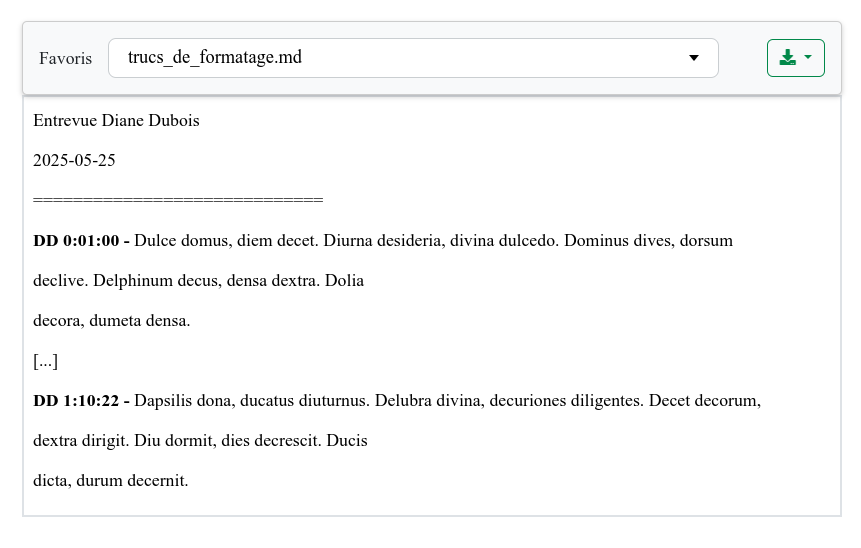
Note that more stylistic elements may be recognized by using the Markdown formatting language, which is partially supported.
