universitaire canadien
Adding Team Members
Use the Projet toolbar to access the options for collaboration. Indicate the email of the person to be added in the User Name field.
Note: New members can only be added if they are already connected to LibreQDA (see Secure Authentication).
When a project includes several members, all changes will be displayed in real time on each user’s screen.
Tip: When the project is active, be sure that all members of the team agree to any proposed changes to the documents and codebook.
The following table summarizes the different permission levels:
People outside partner institutions
To ensure good cybersecurity practices are followed, the LibreQDA team delegates the task of authenticating its user base to certain institutions. To use the application, you must normally log in using one of the connection partners listed in the dropdown menu (universities, colleges, ORCID, etc.).
To avoid preventing collaboration with certain sectors, we also support Google and Microsoft as connection partners. However, people who log in this way are not granted any editing rights by default.
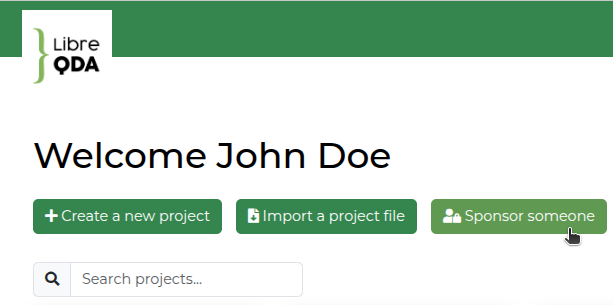
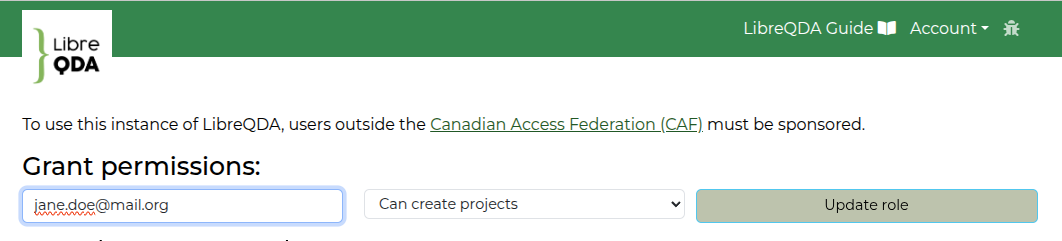
A sponsorship mechanism is available to add them to your projects and grant them editing rights:
Note: If you are the first person from your organization to sign in with Microsoft, your request may be automatically forwarded to your organization's IT (information technology) team for approval.
Permissions
| All permissions |
Cannot change permissions |
View and make changes |
View only |
|
|---|---|---|---|---|
| Consulting | ✓ | ✓ | ✓ | ✓ |
| Coding | ✓ | ✓ | ✓ | |
| Editing codes | ✓ | ✓ | ✓ | |
| Importing and deleting documents | ✓ | ✓ | ||
| Managing members | ✓ | |||
| Deleting the project | ✓ |
