Qualitative Coding of Data#
A diversity of analytical postures#
Qualitative analysis can be practiced from different epistemological postures. Without getting into the larger debates, here is a brief summary:
- A deductive approach means that you apply a codebook defined in advance from a theoretical framework, and that this codebook changes little over time. You identify within the data what your codes refer to.
- An inductive approach, in contrast, lets codes emerge as you collect, read, compare, and so on. A theory is built from the data itself.
LibreQDA and its team do not favour either of these approaches in particular. The software is intentionally minimalist so that it remains compatible with different methodologies. As a result, use cases at the extremes of these approaches may be hindered.
For example, the interface does not offer advanced quantification tools. If your approach requires this kind of processing, you will need to export your data and post-process it in another piece of software (spreadsheet, statistics software, etc.).
Organizing your codes into a hierarchy#
Depending on your posture, it can be useful to group more specific codes under broader ones, for example to distinguish categories and sub-categories in a grounded theory approach, or to organize a deductive codebook into broad themes. See Nesting Codes for the steps.
Loading a Predefined Codebook#
If you're working in a grounded, anchored, or inductive approach, or if you only have a few codes to define, you don't need this guide. The interface allows you to define your codes individually and to modify their color or description. However, if your codebook includes numerous parent and child codes, varied use cases, and several specific colors, there is a quick and easy method to load all of this simultaneously at the start of the project.
If you're working in a deductive approach, your codebook may be rigidly defined and known from the outset.
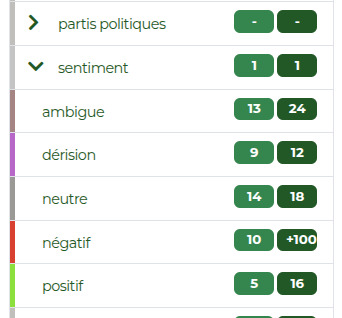
To speed up the preparation steps for analysis, you can then import a codebook and its associated information in .csv format (for comma separated values). It should contain:
- the code name (required)
- its description (optional)
- its colour (optional)
- its parent code, if applicable
After following the steps below, refer to the Importing a Codebook section.
If you are unfamiliar with creating a CSV file, you can simply export a codebook from an existing project. Open it in your favorite spreadsheet software (such as LibreOffice Calc, Excel, etc.). Don't change the column names.
Description: You can describe your codes' use cases through the interface by editing them individually. However, loading a codebook is a good time to do it in one place.color: To avoid setting colors each time in the interface. You can reuse the same color for multiple codes (e.g. parent codes and their children).
